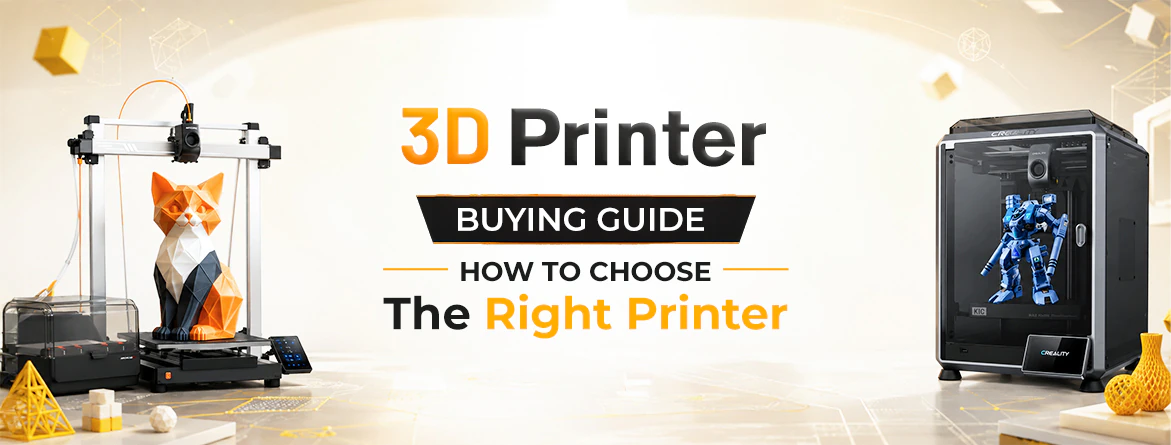
3D Printer Buying Guide: How to Find the Best Printer for Your Needs
Choosing the right 3D printer means matching the machine to what you plan to create, not chasing the flashiest specs. FDM printers are the easiest starting point, affordable and reliable for everyday functional prints like organisers or replacement parts, while resin printers deliver finer detail for miniatures, figurines, and jewellery work. Beyond the printer type, pay attention to build volume, bed levelling, connectivity, and enclosure options, and start with beginner-friendly materials like PLA before moving to PETG, ABS, or speciality resins. Avoid common mistakes like oversizing your build volume or skipping bed levelling checks. A few accessories, like spare nozzles and proper filament storage, round out a smooth setup. For readers worldwide, platforms like Ubuy offer genuine printers, filaments, and accessories with international shipping to 180+ countries.
3D printing has moved from a niche hobby to something almost anyone can pick up at home, whether you want to design toys, fix a broken part, or start a small side business. With so many models and specs to compare, it helps to treat this as a proper 3D printer buying guide rather than a quick comparison. Many first-time buyers focus only on price or brand and end up with a machine that doesn't match how they'll actually use it. Working through your goals first- what you want to create, how often, and how much upkeep you're willing to do makes later decisions much easier.
It also helps to see how fast this space is evolving: the global 3D printing market was valued at roughly USD 30.5 billion in 2025 and is projected to grow to nearly USD 169 billion by 2033, according to a detailed market analysis from Grand View Research. That pace means new features arrive regularly, so it's worth choosing a machine that meets your current needs and has room to grow. This guide breaks that down into simple, practical steps.
Table of Contents
- → Which 3D Printer Should You Buy?
- → Understanding the Two Main Printer Types
- → Key Features to Look For
- → Choosing the Right Materials and Filaments
- → Do You Need Extra Accessories?
- → Choosing the Right Size for Your Space and Projects
- → A Simple Decision Framework
- → Popular Printer Brands to Explore
Which 3D Printer Should You Buy?
According to any comprehensive 3D printer buying guide, the right printer depends less on brand names and more on what you intend to create. Before comparing models, take a moment to think about your goals.
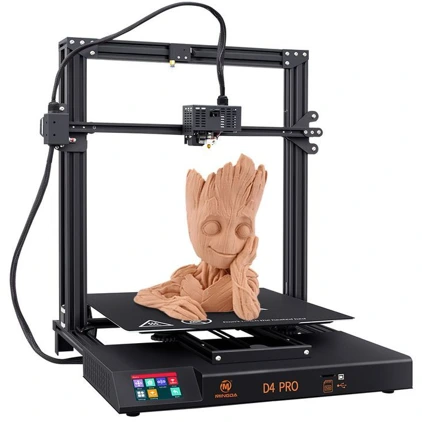
| Your Main Goal | What to Look For | Why It Works |
|---|---|---|
| Learn 3D printing basics | Entry-level FDM printer with guided setup | Fewer initial settings let you focus on mastering core mechanics. |
| Fix household items / build storage | FDM printer compatible with PLA and PETG | Creates strong, functional items like hooks, clips, and containers. |
| Sculpt fine details for miniatures/jewellery | Resin-based (SLA/MSLA) printer | Captures intricate details and textures filament printers cannot match. |
| Create oversized builds (helmets, props) | Printer with a large build volume and tall height | Eliminates the need to cut, slice, and glue smaller parts together. |
| Add colour without manual swapping | FDM printer with an automatic multi-material system | Automates colour changes seamlessly for multi-tone designs. |
| Print tough, heat-tolerant parts | Enclosed FDM printer rated for high temperatures | Maintains steady internal heat required for ABS, ASA, or nylon. |
| Upgrade and customise your printer | Open-source FDM printer with a large community | Offers easy access to custom parts, upgrades, and troubleshooting. |
Once you know which row describes you best, the rest of the buying process becomes much easier.
Understanding the Two Main Printer Types
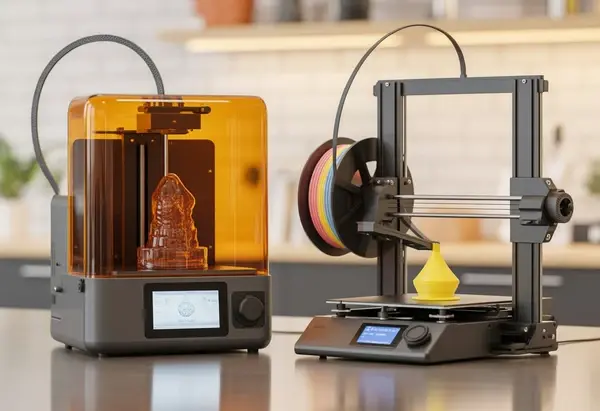
Most home printers fall into one of two categories, and learning how to choose a 3d printer starts with understanding these primary options:
- Filament-based printers: Commonly known as an fdm 3d printer, these work by melting a plastic thread and building an object layer by layer. They are generally easier to set up, more forgiving for beginners, and better suited for functional, everyday objects like brackets, hooks, or organisers. Maintenance is fairly simple, and the surrounding community is large, making troubleshooting help easy to find.
- Resin-based printers: A resin 3D printer uses a light source to cure liquid resin into solid layers. They produce noticeably finer detail and smoother surfaces, making them popular for miniatures, jewellery patterns, and dental or hobbyist model work. The trade-off is a slightly messier workflow, as resin requires careful handling, post-curing, and proper ventilation.
When evaluating the primary types of 3D printers, neither option is universally "better"; it comes down to what you plan to print most often.
Key Features to Look For
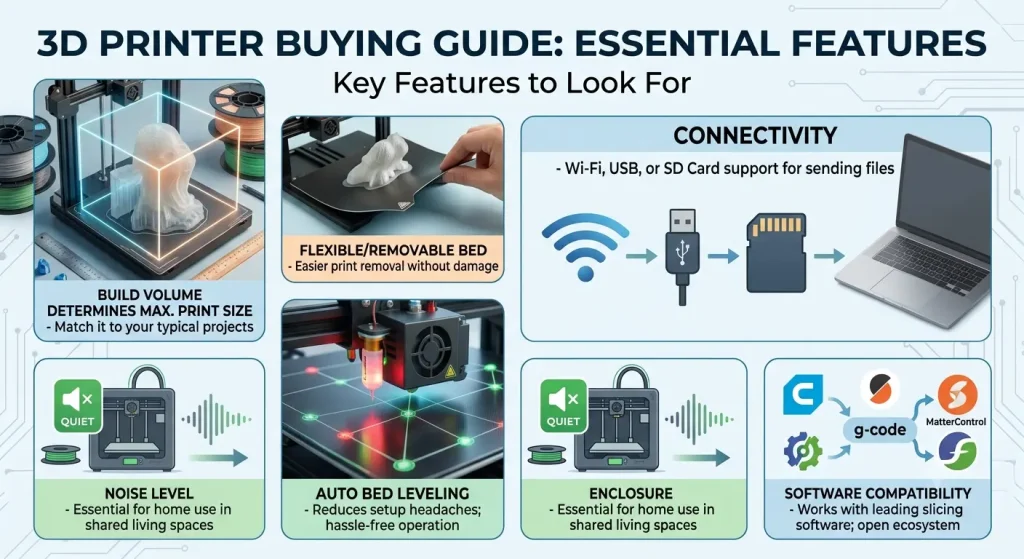
Once you've picked a printer type, considering essential 3D printer features will help shape your day-to-day experience:
- Build volume – Determines the maximum size of a single print; bigger isn't always necessary, so match it to your typical projects as outlined in any comprehensive 3D printer buying guide.
- Print bed type – A removable or flexible bed makes it easier to pop finished prints off without damaging them.
- Auto bed levelling – reduces one of the most common setup headaches and helps make a model the best 3D printer option for hassle-free operation.
- Connectivity options – Wi-Fi, USB, or SD card support affects how conveniently you send files to the printer.
- Enclosure – helps maintain stable temperatures, which matters more when working with advanced materials.
- Noise level – worth checking if you are buying a 3D printer for home use in a shared living space.
- Software compatibility – Look for printers that work with widely used slicing software so you aren't locked into one proprietary ecosystem. A comprehensive 3D printer buying guide can help you identify which machines support open-source slicers versus restrictive, locked software.
Not all features matter equally to every user. A hobbyist experimenting on weekends has different priorities than someone printing replacement parts for a small workshop.
Choosing the Right Materials and Filaments
The 3D printer materials you select affect strength, flexibility, and finish as much as the printer itself.
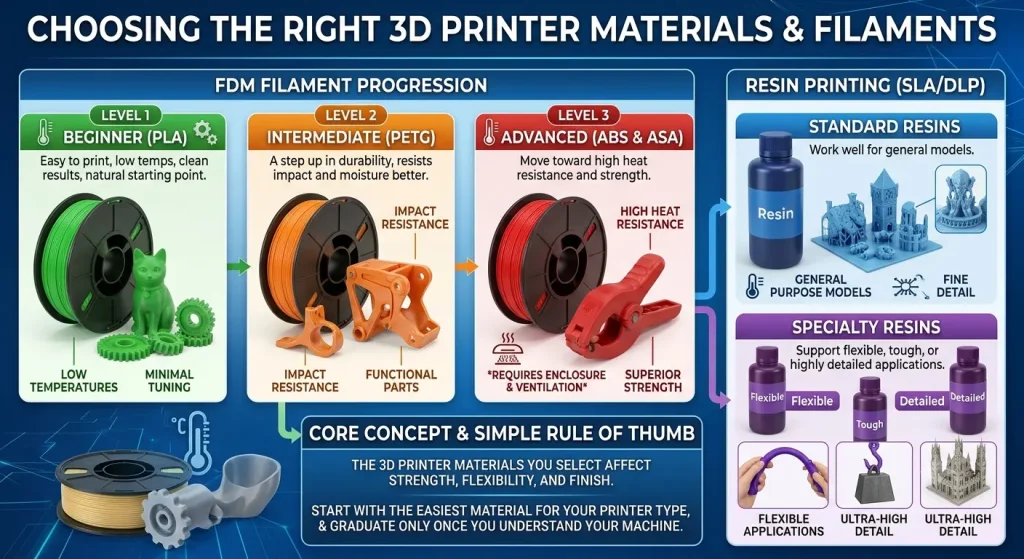
For most newcomers setting up a 3D printer for beginners, PLA is the natural starting point. It's easy to print, doesn't require high temperatures, and produces clean results with minimal tuning. As you get more comfortable, PETG offers a good step up in durability and resists impact and moisture better, making it useful for functional parts.
More advanced users often move toward ABS or ASA for heat resistance and strength, though these typically need an enclosed printer and better ventilation. Choosing the right 3D printer filament or resin type depends heavily on your project requirements; standard resins work well for general models, while speciality resins support flexible, tough, or highly detailed applications.
A simple rule of thumb: start with the easiest material for your printer type, and only move to advanced filaments or resins once you understand how your machine behaves.
Do You Need Extra Accessories?
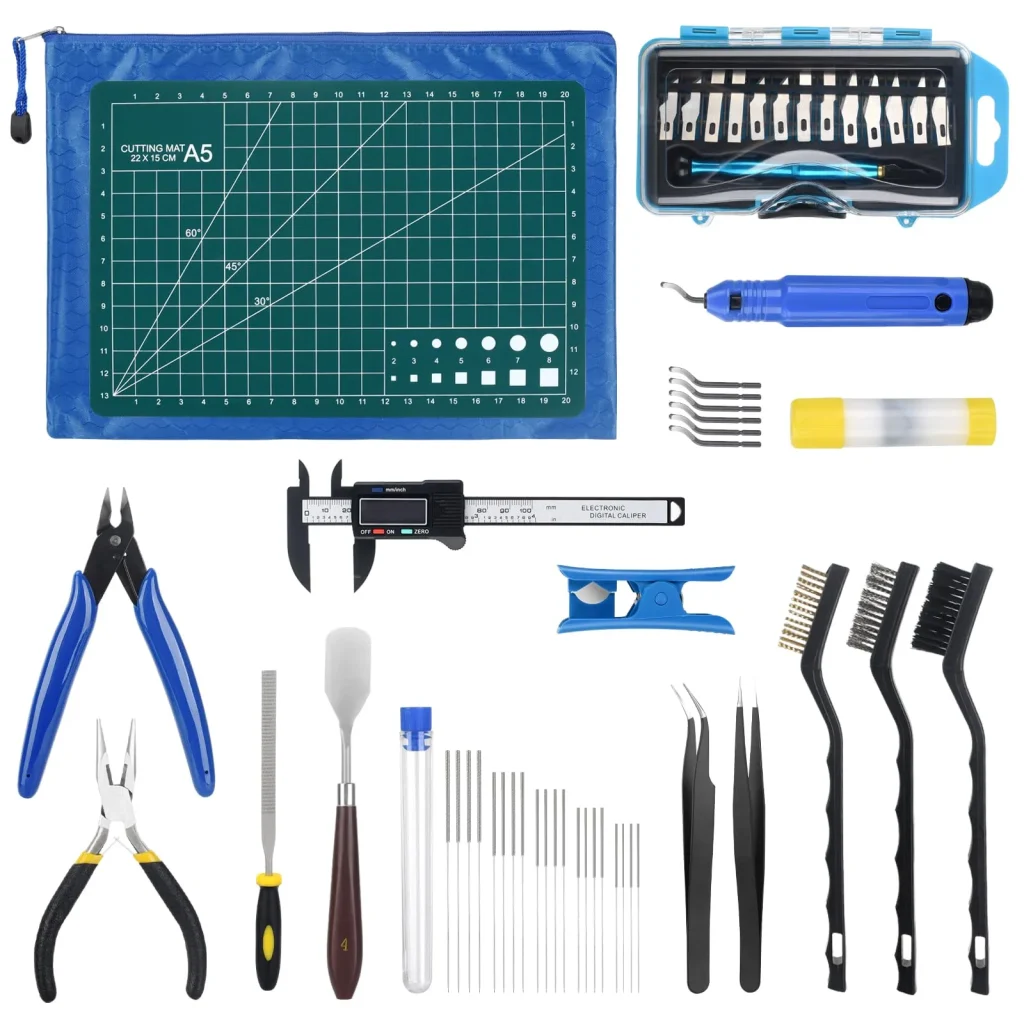
A printer alone will get you started, but having the right 3D printing accessories makes the experience significantly smoother:
- Extra nozzles, since they wear out over time with regular use.
- A spare build plate or adhesion sheet for continuous printing.
- Isopropyl alcohol and gloves for cleaning resin prints.
- A filament dryer or airtight storage box, since moisture affects overall print quality.
- Basic hand tools for removing supports and finishing prints cleanly.
- Safety gear such as a mask and gloves when working with liquid resin.
You don't need everything on day one. Most people build up their accessory kit gradually as they discover what their workflow actually needs, a practical tip often highlighted in a reliable 3D printer buying guide.
Choosing the Right Size for Your Space and Projects
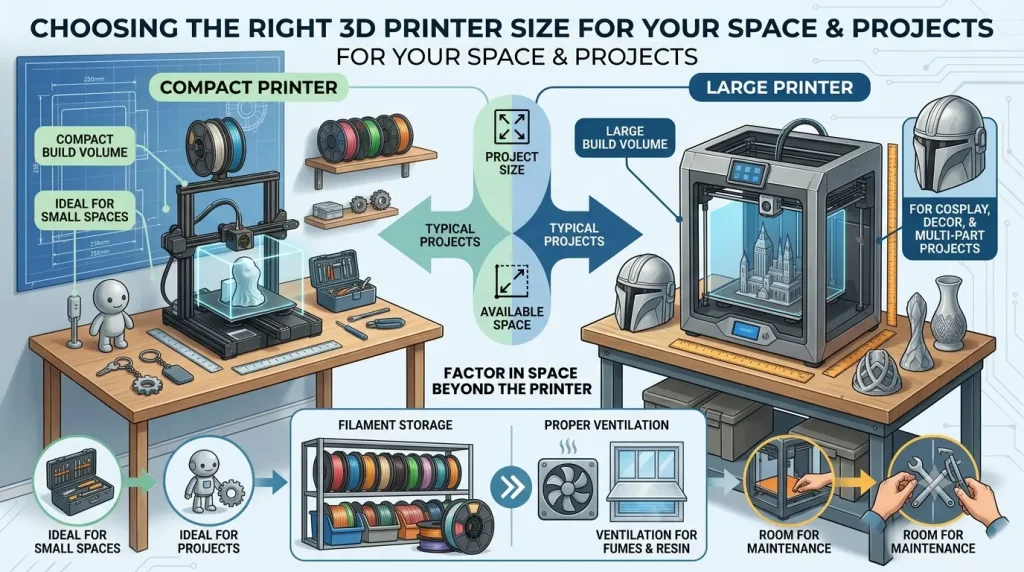
Finding the right machine size depends heavily on what you plan to create, making physical dimensions a crucial factor in any comprehensive 3D printer buying guide. Printer size is often overlooked until it becomes a problem. A compact printer suits small desks and simple, everyday objects, while a larger build volume is worth considering if you plan to print cosplay pieces, large decor items, or multi-part projects that benefit from being printed in one go.
It also helps to think beyond the printer itself; factor in space for filament storage, proper ventilation for working with resin or sensitive electronics, and room to comfortably access the machine for maintenance.
A Simple Decision Framework
If you're still unsure, our 3D printer buying guide recommends asking yourself three core questions:
- What will I print most often? – functional parts, detailed models, or a mix of both
- How much space and ventilation do I have? – this often narrows the choice between FDM and resin
- How much am I willing to learn? – some printers are more plug-and-play, while others reward tinkering with more control
Answering these honestly will point you toward the right choice, ensuring this 3D printer buying guide helps you select the perfect match for your workflow.
Popular Printer Brands to Explore
Several established brands are known for reliable performance across different budgets and skill levels. Compare a few before deciding, matching their strengths against the priorities you identified earlier in this 3D printer buying guide.
| Brand | Known For |
|---|---|
| Creality | A wide beginner-to-intermediate FDM lineup supported by a massive global community. |
| Anycubic | Budget-friendly resin and FDM options designed with a focus on ease of use, making them a common feature in any practical 3D printer buying guide. |
| Elegoo | Highly regarded resin printers, widely favoured for printing detailed miniatures. |
| Prusa | Exceptionally reliable, open-source, and well-documented printers favoured by experienced makers. |
| Bambu Lab | High-speed, modern FDM ecosystems featuring automated multi-colour printing systems, making them a top recommendation in any modern 3D printer buying guide. |
| Voxelab | Entry-level FDM printers (backed by FlashForge) tailored for budget-conscious, first-time buyers. |
Frequently Asked Questions
A beginner-friendly FDM printer with auto bed levelling and strong community support is generally the easiest starting point, since it simplifies setup and troubleshooting. If you follow a practical 3D printer buying guide, entry-level models like the Bambu Lab A1 or Creality Ender 3 V3 SE remain top recommendations for straightforward out-of-the-box printing.
FDM printers are better for functional, everyday objects and easier maintenance, while resin printers suit highly detailed models like miniatures or jewellery patterns.
Prioritise auto-bed levelling and a flexible PEI plate for easy first layers and print removal. Match the build volume to your projects to avoid wasted space and slow heating times. Finally, consider enclosures for high-temp materials, plus Wi-Fi and open-source slicer support.
PLA is the easiest material to start with, followed by PETG for more durable, functional prints as you gain experience.
No, build your kit gradually as your workflow requires. Essential extras include spare nozzles, basic scrapers, and airtight filament storage to block moisture. However, resin printers require protective gear, isopropyl alcohol, and UV curing tools right from day one.
Match the build volume to the type of projects you plan to make most often, and factor in the space available for the printer, storage, and ventilation.
Global marketplaces like Ubuy are a good option, since they ship internationally to 180+ countries and give buyers access to a wider range of authentic brands and supplies beyond what may be available locally. Reviewing a trusted 3D printer buying guide before you buy helps ensure you choose compatible supplies for your regional voltage and setup.